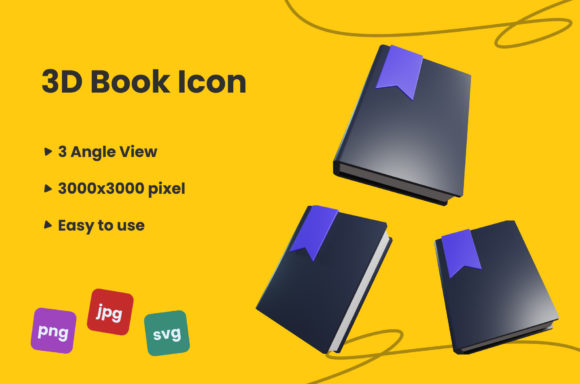
3D Book Icon: Elevating Visual Storytelling Across Digital Platforms
In a digital landscape saturated with flat design and minimalist aesthetics, the subtle shift toward three-dimensional elements has become more than just a trend—it is a functional upgrade for visual communication. The 3D Book Icon stands out as a versatile asset that bridges the gap between traditional literary symbolism and modern digital interface requirements. Whether you are a self-publisher launching an ebook, a marketer designing a landing page for an online course, or a blogger curating a resource library, having access to high-quality 3D graphics can significantly enhance user engagement.
This article explores the practical applications of the 3D Book Icon, detailing why its specific file formats—JPG, PNG, and SVG—matter in different professional contexts. We will look at how this single graphic element can serve diverse audiences, from educators creating lesson plans to entrepreneurs building brand identities, ensuring your projects look polished, professional, and ready for publication.
Why Format Matters: JPG, PNG, and SVG Explained
Before diving into use cases, it is crucial to understand the technical advantages of the available file types. A 3000×3000 pixel resolution provides ample detail for both web and print, but the format determines how that detail is utilized.
- PNG File (3000×3000 Pixel): This is likely your go-to for most web designs. PNG supports transparency, which means you can place the 3D book icon over any background color or image without a distracting white box surrounding it. For bloggers and social media managers, this flexibility is invaluable when maintaining brand consistency across varied backgrounds.
- JPG File (3000×3000 Pixel): While JPG does not support transparency, it offers smaller file sizes for photographs and complex gradients. If you are using the 3D Book Icon in a header image where it sits on a solid colored banner, the JPG format ensures faster loading times without sacrificing the crisp, high-quality details of the rendering.
- SVG File (3000×3000 Pixel): Scalable Vector Graphics are the gold standard for responsiveness. Because SVGs are mathematically defined rather than pixel-based, they remain sharp at any size. If you are a developer or designer working on a responsive website, using the SVG version of the 3D Book Icon ensures it looks perfect on a mobile phone screen just as well as it does on a large desktop monitor.
Practical Applications for Creators and Educators
The concept of a "book" is universally recognized, making the 3D Book Icon a powerful shorthand for knowledge, learning, and literature. However, the three-dimensional aspect adds depth, suggesting interactivity and premium quality.
Digital Publishing and Ebook Marketing
For authors and indie publishers, the cover is often the first point of contact. Using a 3D Book Icon in promotional materials signals that the content inside is tangible and valuable. Imagine a Facebook ad campaign for a new guide on personal finance. Instead of a flat text overlay, a realistic 3D book icon rotates gently or sits prominently next to a testimonial. This visual cue triggers a psychological association with physical reading, increasing click-through rates among users who value substantial, well-structured content.
Online Course Platforms
Educators and instructional designers frequently struggle to make digital courses feel engaging. Flat icons can sometimes feel sterile. By integrating a 3D Book Icon into module headers or certificate templates, educators add a layer of sophistication. Consider a freelancer selling a workshop on graphic design; using the 3D Book Icon to represent the "reading materials" or "supplementary guides" section helps students visually distinguish between video lessons and textual resources, improving the overall user experience.
Business and Branding Strategies
Entrepreneurs and small business owners are always looking for ways to differentiate their brands. Visual identity is a key component of trust, and high-quality assets play a significant role in perceived credibility.
Resource Libraries and Knowledge Bases
If you run a SaaS (Software as a Service) company or a consultancy, you likely have a blog or a resource center. These sections often house articles, whitepapers, and case studies. Replacing generic folder icons with a stylized 3D Book Icon creates a cohesive visual language. It tells the visitor, "This is something worth reading." When users encounter consistent, high-quality imagery, they subconsciously associate those qualities with the reliability of the information provided.
Event and Webinar Promotion
Marketers organizing webinars or virtual conferences need eye-catching assets. A 3D Book Icon can represent a featured author session or a downloadable attendee kit. In email newsletters, a small 3D graphic can break up text blocks and draw the eye to calls-to-action like "Download the Guide" or "Read the Full Case Study." The depth and lighting in a 3D render capture attention more effectively than flat vectors, helping your message stand out in crowded inboxes.
Considerations Before Implementation
While the 3D Book Icon is a powerful tool, successful implementation requires thoughtful consideration of context and compatibility.
Maintaining Visual Harmony
A 3D object has shadows, highlights, and perspective. If your existing design relies heavily on flat, two-dimensional elements, introducing a 3D icon might create a jarring stylistic clash. To avoid this, ensure that the lighting direction of the 3D Book Icon matches the lighting in your other graphics. Alternatively, lean into the contrast by pairing the 3D icon with clean, minimalist typography to let the graphic shine as the focal point.
Performance Optimization
High-resolution images (3000×3000 pixels) can be heavy. Even with efficient formats like PNG or SVG, loading speed is critical for SEO and user retention. Always compress your images appropriately before uploading them to your website. For the SVG version, ensure the code is clean and stripped of unnecessary metadata to maintain fast load times. Remember, a beautiful icon that slows down your site will hurt your search engine rankings more than it helps your aesthetic.
Accessibility and Alt Text
Visual appeal should never come at the cost of accessibility. Screen readers cannot interpret images. When using the 3D Book Icon, always include descriptive alt text. Instead of just "book," use something like "3D rendered icon of a closed blue book representing educational resources." This practice not only aids users with disabilities but also improves your image search visibility on Google.
Conclusion: A Simple Upgrade with Significant Impact
The choice to use a 3D Book Icon is a decision to prioritize quality and engagement in your digital communications. It is not merely about decoration; it is about communicating value, structure, and professionalism. Whether you are utilizing the transparency of the PNG for social media posts, the scalability of the SVG for web interfaces, or the compression-friendly nature of the JPG for printed flyers, this asset offers flexibility across multiple platforms.
By understanding the specific needs of your audience—whether they are students seeking knowledge, customers looking for products, or professionals hunting for insights—you can deploy this icon strategically to guide their attention and enhance their experience. Thanks for visiting my design, liked this design if you like it. Follow and Check my store for more designs Regards, Silenic Co 2021.